Английский источник: Back to the guide
Этот перевод создан автоматически и ещё не прошёл проверку носителем языка.
Английский источник: How to… · Английский источник: How-to guide
Английский источник: Check the evidence behind a connection
Английский источник: Inspect a connection and copy a link that reopens its evidence.
Английский источник: Step 1 — Open a connection's details
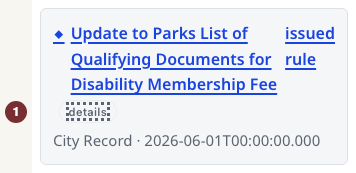
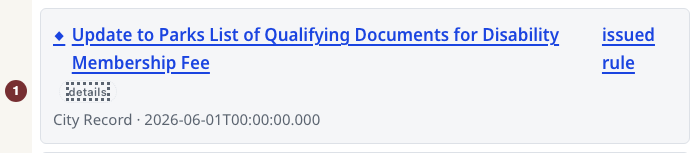
Английский источник: Open Parks and Recreation with JavaScript switched on. No account is needed. Under Связанные записи, choose Подробности beside a record's title (announced as Подробности by a screen reader). A Доказательства связи panel opens for that record.
Английский источник: For the worked example, use Подробности beside Update to Parks List of Qualifying Documents for Disability Membership Fee, if present. The example connection link opens that panel directly when the record is available.
Английский источник: Step 2 — Read the basis and source
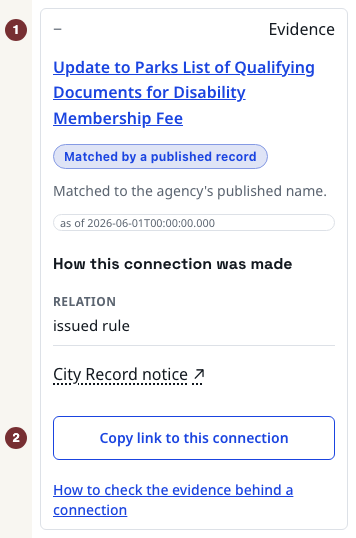
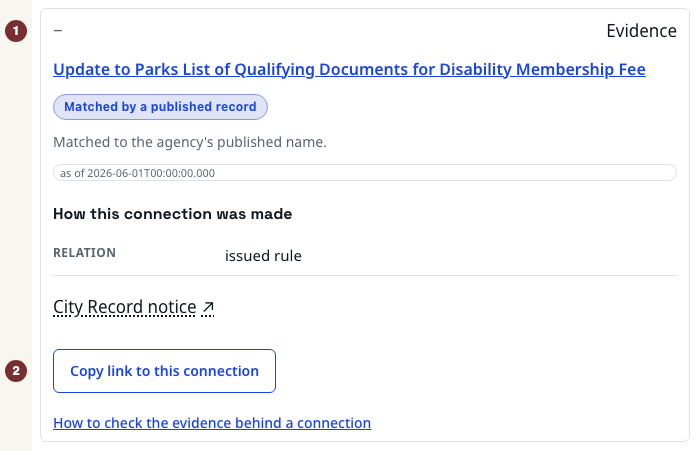
Английский источник: In Доказательства связи, read the match label and date. In the example, Сопоставлено по опубликованной записи and Matched to the agency's published name describe the basis. Under Как установлена эта связь, read the relation, issued rule. Open Уведомление City Record in the panel to compare the official source, then return.
Английский источник: This supports the stated connection, not a finding of compliance or wrongdoing. How records are connected explains the other match labels.
Английский источник: Step 3 — Reopen the evidence from its link
Английский источник: At the bottom of the panel, choose Скопировать ссылку на эту связь. Copy the full browser address and paste it into a new tab. Check that the same record's Доказательства связи is expanded. Keep this address with the claim it supports.
Английский источник: When there is no source or panel
Английский источник: Some contract connections have no separate notice source. Open the linked record title in the panel and use that record's own source link. Missing source evidence is not proof of no relationship. If a copied address opens no panel, return to Связанные записи and use Подробности to select a connection currently on the page. Without JavaScript, read the records directly. The panel is unavailable.