Source anglaise : Back to the guide
Cette traduction a été générée automatiquement et n'a pas encore été révisée par un locuteur natif.
Source anglaise : How to… · Source anglaise : How-to guide
Source anglaise : Find and narrow records
Source anglaise : Find a topic, narrow the relevant collection, and keep a link to its filters.
Source anglaise : Step 1 — Search for your topic
Source anglaise : Open Rechercher, type a word such as housing in the search field and press Rechercher. This needs JavaScript switched on, but no account or email address. Results are grouped by kind of record. Read each result's match explanation before choosing it. Counts change as records change.
Source anglaise : Step 2 — Open the relevant collection
Source anglaise : Open Browse and choose the kind of record you need. Use People + organizations for agencies, boards and vendors, Effectifs for appointments and hiring outcomes, or Examens for civil-service applications. The destination's heading confirms the collection.
Source anglaise : Step 3 — Narrow the list
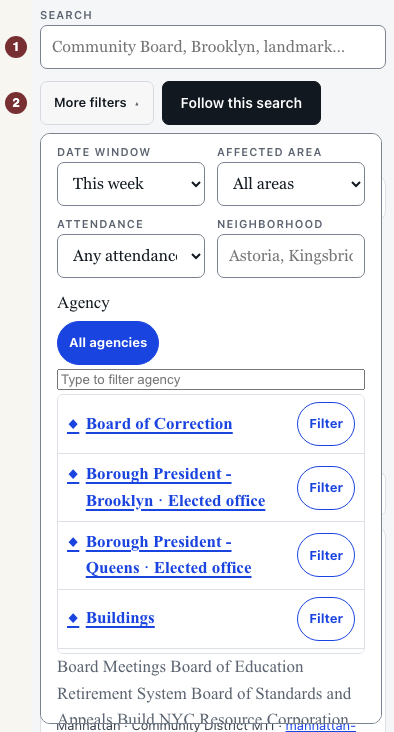
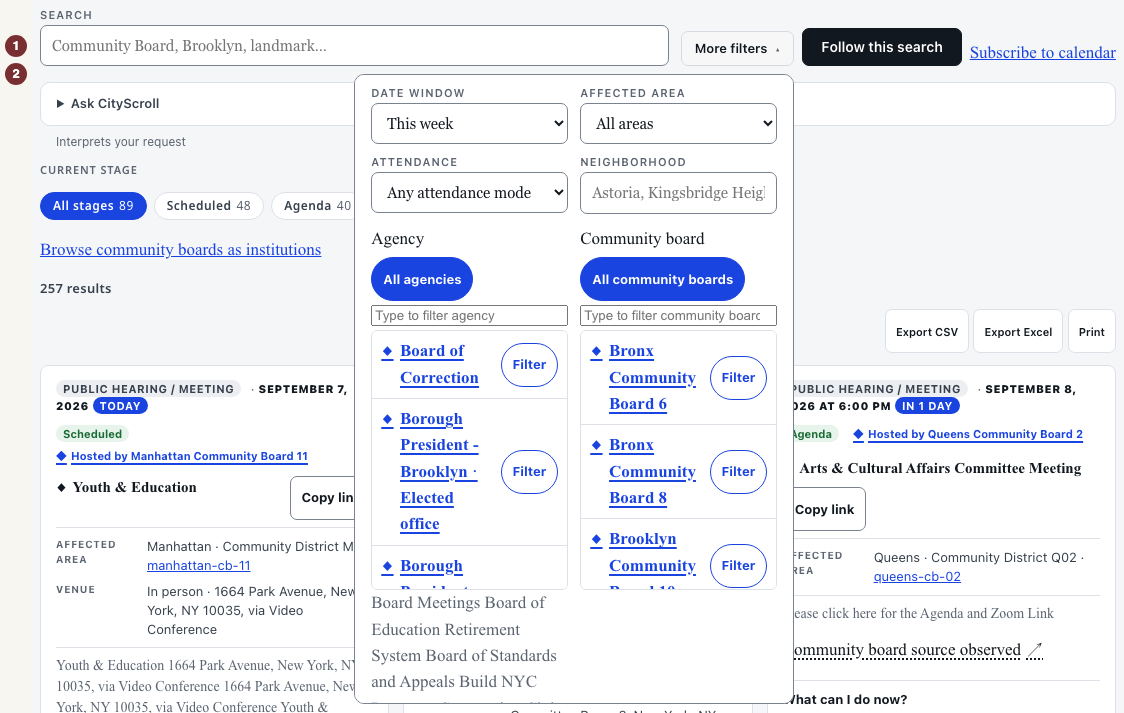
Source anglaise : For a dated example, open Réunions. In the filters above the results, enter a word in Rechercher. Open Plus de filtres to choose Période, Zone concernée and Agence. The list updates to match. Other collections offer different controls. Controls and what they give you is an optional lookup.
Source anglaise : Step 4 — Keep and reopen the view
Source anglaise : Copy the full address from your browser's address bar and paste it into a new tab. Check that the collection and selected filters match. The link repeats your query against the records available when opened. It does not freeze today's results.
Source anglaise : Step 5 — Check the record's current opportunity
Source anglaise : Open a result by its title and read its status, dates and official-source link. For practice, Caseworker, exam 7016 has a clôturé application window. That historical record teaches the process. It is not an invitation to apply. For a current application, return to Examens and check an open window at its official source.
Source anglaise : When results are empty or unknown
Source anglaise : Remove a filter or shorten the keyword in the same controls, then search again. A loaded list with no matches describes the records searched, not everything the city has done. If a source could not be reached, its answer is unknown. Reload or open the record's official source before concluding it has no records.