Tradiksyon sa a te fèt otomatikman e li poko revize pa yon moun ki pale lang lan natifnatal.
Sous anglè: Start here · Leson
Sous anglè: Trace a notice to the duty behind it
Sous anglè: Follow a Sanitation rule notice to its legal duty, source law and publication evidence.
Sous anglè: Step 1 — Open the notice
Sous anglè: Open the Sanitation final rule notice. No account is needed, and the notice and duty pages read without JavaScript. Check the title: DSNY Final Rule re Implementation Dates for the Brooklyn North and Upper Manhattan Commercial Waste Zones. Open Gade nan Rejis Minisipal la beside the notice's actions to compare the city's copy, then return.
Sous anglè: Step 2 — Follow the duty
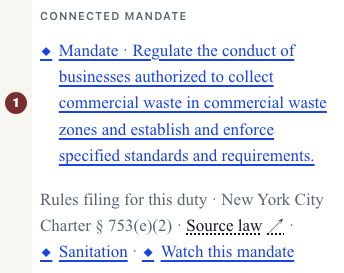
Sous anglè: On the notice, find Connected mandate. Read Rules filing for this duty, the relation, and New York City Charter § 753(e)(2), the citation. Select the duty text about regulating commercial waste businesses. It opens the Sanitation duty, with its agency, required action and citation.

Sous anglè: Step 3 — Check the law
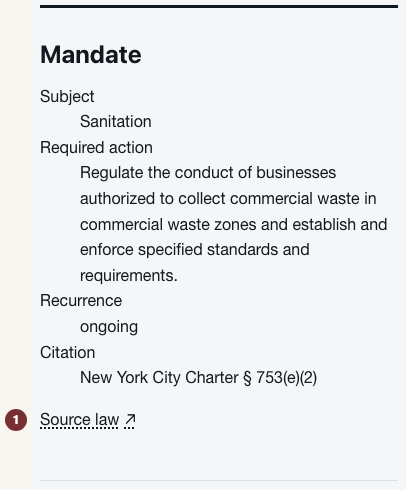
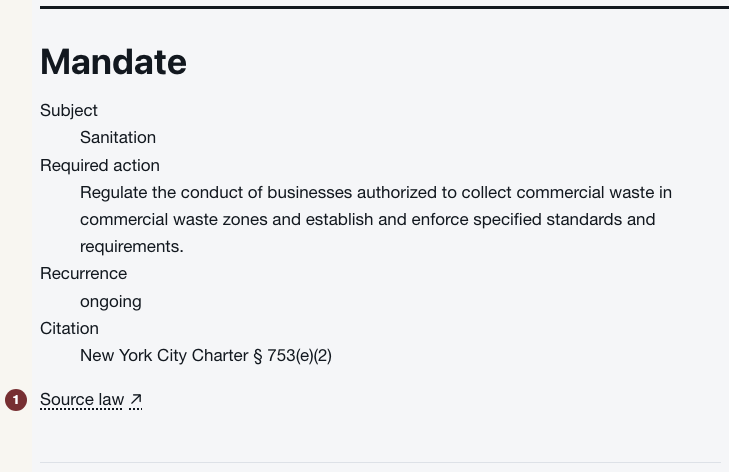
Sous anglè: On the duty page, open Source law. The underlying legislation opens at its official source. Compare the citation and required action, then return to the duty page.
Sous anglè: Step 4 — Close the loop
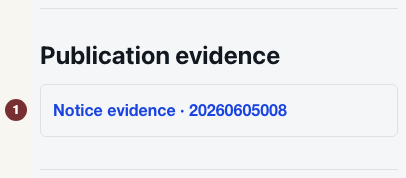
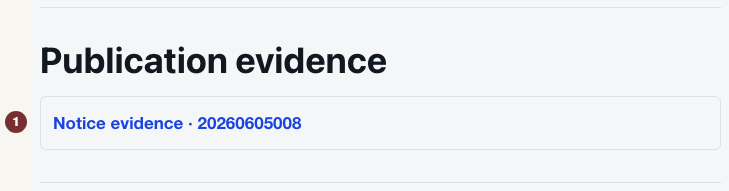
Sous anglè: Under Publication evidence, find the notice's request number, 20260605008. It links the filing you started from back to this duty. This establishes that the filing was published. A compliance finding would also need to establish whether the filing met the duty. This page makes no such finding.
Sous anglè: Step 5 — Try another notice
Sous anglè: Open another rule notice from Règleman, find Connected mandate, then follow its duty text and Source law. If the block is absent, no supported connection is shown. That does not mean no law applies. Check the notice's own official copy instead.
Sous anglè: Optional — Watch for later filings
Sous anglè: On a notice with Connected mandate, select Watch this mandate beside the connection. Following opens with the duty selected and needs JavaScript switched on. Check Gade rezilta ki koresponn yo there. Previewing does not subscribe you. Choose a frequency, enter Adrès imèl under Kreye swivi sa a, and press Kreye swivi only if you want email updates. The page's subscribed confirmation is the saved result.