How to… · How-to guide
Follow a Community Board
Set up a watch for one borough-qualified Community Board, and read what its matches actually cover.
How do I watch what happens at my community board?
Your task
Follow one community board — for this example, Manhattan Community Board 7 — and understand what the resulting updates do and do not cover.
Before you start
- Open Following.
- Know your board as a pair: a borough and a number. A board number on its own does not identify a board anywhere in New York City.
- Read Follow a search and manage your updates first if you have not created a watch before. This page only covers the part that is specific to boards.
A board number is not a district number
New York City has two numbered geographies that both get called "district seven", and they are not the same thing.
- Community Boards are numbered 1 to 18 within each borough. There is a Manhattan Community Board 7, a Brooklyn Community Board 7, and so on. Only the pair means anything.
- City Council Districts are numbered 1 to 51 across the whole city. There is exactly one City Council District 7, and it is not connected to any board's number.
CityScroll keeps them as two separate choices rather than one numbered box. A community board is picked under the Hearings and meetings topic; council-district updates are their own topic, City Council District weekly, listed under More topics. That topic's district field carries a note reading "Not a Community Board", the numbering of each, and a link straight to the board picker. If you find yourself typing 7 into a box labelled 1 to 51, you are on the wrong control.
Why they are different things, rather than two spellings of the same one, is what a public record tells you; the short definitions are in the glossary. You do not need either to finish this page.
Step 1 — Choose the hearings and meetings topic
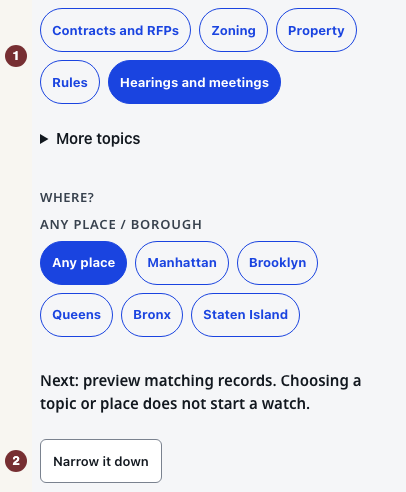
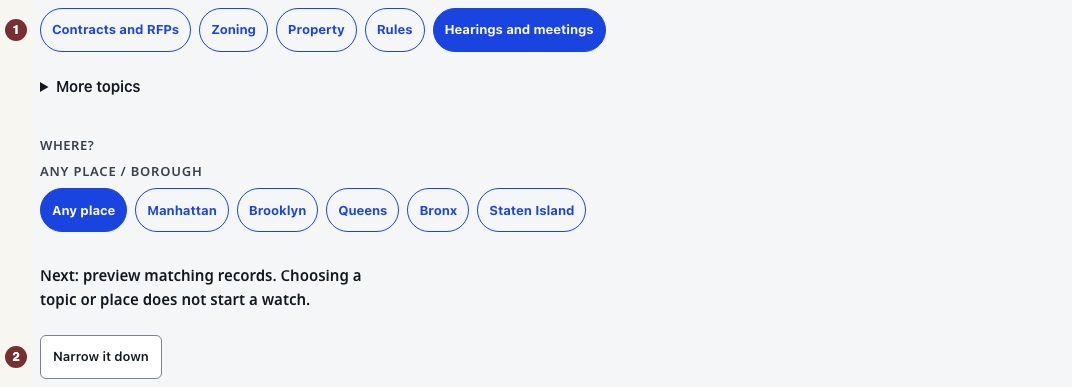
Under What do you want to follow?, choose Hearings and meetings. The board picker belongs to that topic, so it appears once the topic is chosen and not before.
Checkpoint: Hearings and meetings is the selected topic, and a Community Board group is visible under Narrow it down.
Step 2 — Pick the borough, then the board
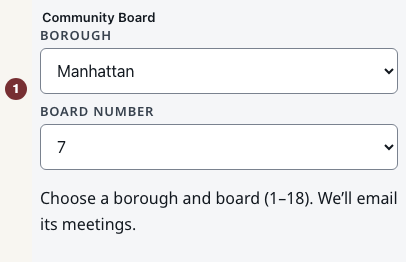
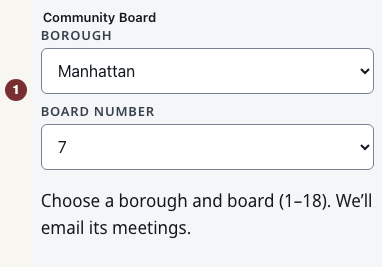
Open Narrow it down. Inside it is a Community Board group with two dropdowns.
- Choose the borough — Manhattan.
- Choose the board number — 7.
The help line under them says the choice covers that board's meetings. Both dropdowns must be set: until the pair is complete, there is no board to watch.
Checkpoint: the two dropdowns read Manhattan and 7, and the board is now named in full rather than as a number.
Step 3 — Preview, and read the rule sentence
Press Preview matches.
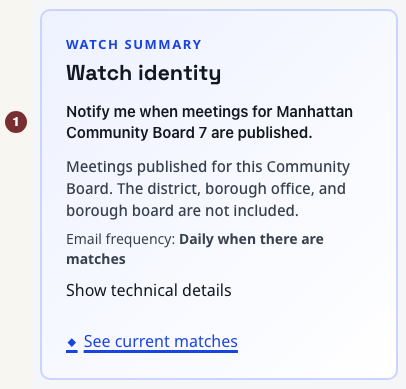
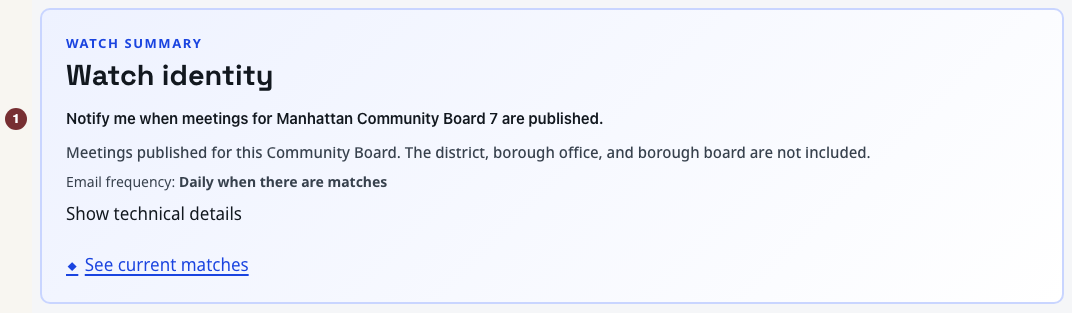
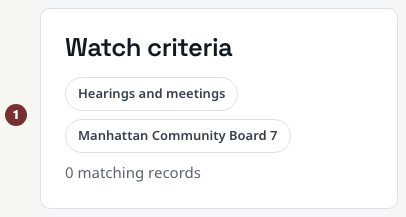
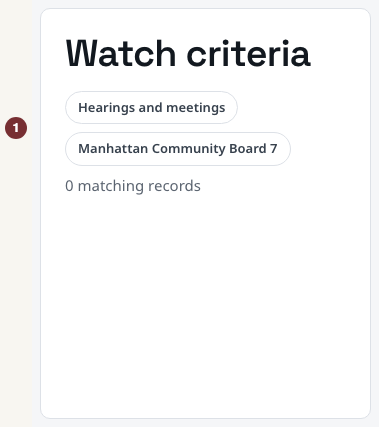
Two things now name the board in full. The Watch summary rule sentence reads "Notify me when meetings for Manhattan Community Board 7 are published", and the Watch criteria panel below it carries a Community Board entry reading Manhattan Community Board 7.
The full name is the thing to check. Seeing "Manhattan Community Board 7" rather than "7" is how you know the borough was carried through and you are not about to follow a board in another borough.
Checkpoint: the criteria and the rule sentence both say Manhattan Community Board 7 in full.
Step 4 — Know what the watch covers, and what it does not
Underneath, a board watch is resolved through place. CityScroll turns Manhattan Community Board 7 into the community district that board covers — Manhattan Community District 7 — looks for meetings in the records tied to that district, and then keeps the ones carrying the board's own identity. So what reaches your inbox is the board's own meetings, found by way of its district. The preview you just read is that same set.
Two consequences follow, and both are worth knowing before you rely on this.
- Coverage depends on that district link. A meeting published without the district connection CityScroll reads is not in the set. A quiet week is therefore not proof that the board did not meet, and the board's own published calendar remains the authority on that question.
- See current matches is not a preview of your email. Follow it and it opens Manhattan Community District 7 as a place, with meetings shown. That view is deliberately wider than the watch: it includes meetings other bodies hold in that district. It is useful for seeing what is happening around you, and it is not the list you will be emailed. Do not read a meeting in it as one your board convened — each record names the body actually holding it, so read that line first.
If you want the board's own committees, membership and published record instead, the board's page under Community Boards is the place for that, and it is a different question from being emailed about meetings.
Checkpoint: you can say which of the two lists you are looking at — the preview, which is the watch, or the district view, which is the place around it.
Step 5 — Create the watch
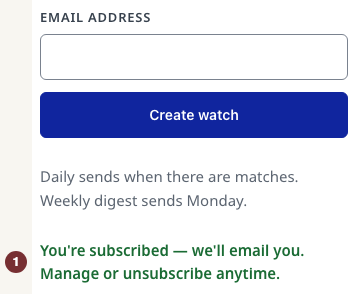
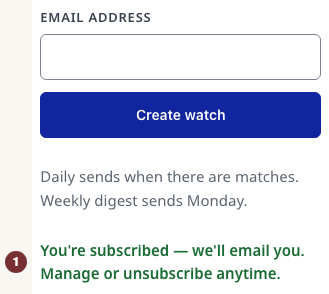
Choose Daily or Weekly under Email frequency, enter your email address under Create this watch, and press Create watch. The watch exists from that moment; a welcome email follows with the link you will use to change or stop it later.
When something is missing
- The picker is not there. The chosen topic is not Hearings and meetings. Change the topic and the picker appears.
- The preview is empty. Boards meet on a schedule, and a district can be quiet for weeks. The preview says so plainly, and a watch on a quiet district still works — it exists to tell you about meetings that have not been published yet.
- The board's own recent meetings are not all there. CityScroll shows what has been published in the sources it reads, and where it could not check a source it says so rather than reporting an empty list as a fact. For that source the answer is unknown, not none — try it again later, and treat the board's own published calendar as the authority in the meantime.
You are done when
You have a watch whose criteria and rule sentence both name your board in full, borough included, and you can say — before any email arrives — that it reaches your board's own meetings by way of the district that board covers, and that the district view it links to is a wider place, not the watch.