انگریزی ماخذ: Back to the guide
یہ ترجمہ مشین کے ذریعے تیار کیا گیا ہے اور ابھی تک کسی مقامی بولنے والے نے اس کا جائزہ نہیں لیا۔
انگریزی ماخذ: Start here · عملی سبق
انگریزی ماخذ: Explore housing across city records
انگریزی ماخذ: Search for housing, compare two kinds of record, and check a result at its official source.
انگریزی ماخذ: Step 1 — Search for housing
انگریزی ماخذ: Open the CityScroll front page, type housing in the search box and press تلاش. Search needs JavaScript switched on. No account or email address is needed. The results page shows your word and groups such as ٹھیکے, People + organizations, زمین, قواعد, اجلاس, and امتحانات. Counts vary with the published records.
انگریزی ماخذ: Step 2 — Open an agency result
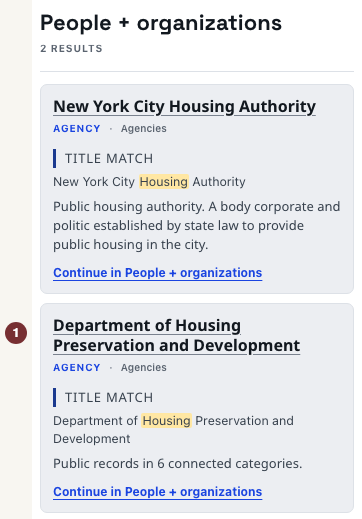
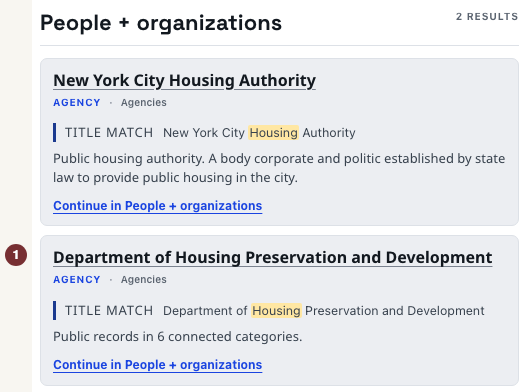
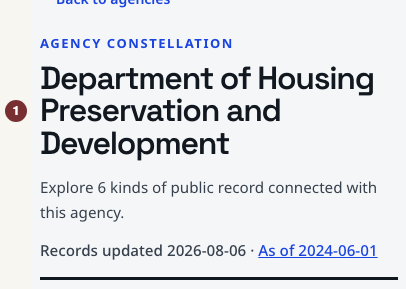
انگریزی ماخذ: In People + organizations, select an agency title, such as Housing Preservation and Development when it appears. The agency page names the agency and groups its connected records by kind. If this group is empty, try another agency-related word in the search field.

انگریزی ماخذ: Step 3 — Compare a rule result
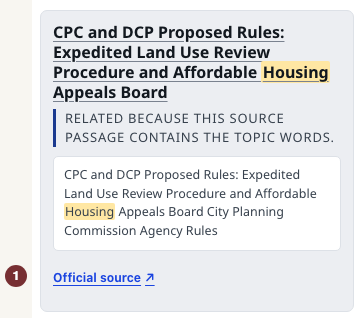
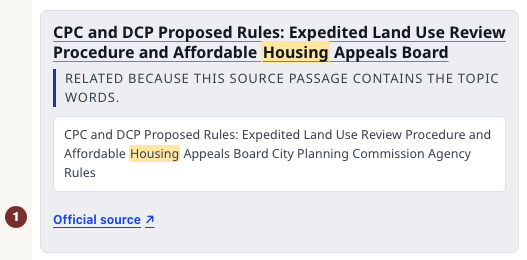
انگریزی ماخذ: Use your browser's Back button to return to the housing search. In قواعد, read a result's match explanation. A passage match quotes the published sentence containing your topic. Rules include proposals and final rules: check the record's stage before treating it as an open chance to comment. A final rule is not a proposal.
انگریزی ماخذ: Step 4 — Check the official copy
انگریزی ماخذ: For a result with a quoted passage, open سرکاری ماخذ beside that passage. Check the title, agency and stage on the city's published copy. If no passage result appears, open a result's title and use its City Record میں دیکھیں link instead. You now have a source you can rely on, rather than just a search match.
انگریزی ماخذ: Step 5 — Keep and repeat the search
انگریزی ماخذ: Return to the search results and copy the browser address. Paste it into a new tab: housing and the grouped view should return, although the records can change. Repeat with a street or agency you care about. Compare two groups again and check one official copy. The glossary explains unfamiliar record types without being a prerequisite.
انگریزی ماخذ: When a source cannot load
انگریزی ماخذ: A failed source is unknown, not a group with no records. Reload the search or use the record's official link. An empty group alone does not establish that nothing happened.