এই অনুবাদটি স্বয়ংক্রিয়ভাবে তৈরি করা হয়েছে এবং এখনও একজন স্থানীয় ভাষাভাষী দ্বারা পর্যালোচনা করা হয়নি।
ইংরেজি মূল: How to… · ইংরেজি মূল: How-to guide
ইংরেজি মূল: Follow a search and manage your updates
ইংরেজি মূল: Preview a watch, create it with your email address, and manage or stop its updates.
ইংরেজি মূল: Step 1 — Set the topic and place
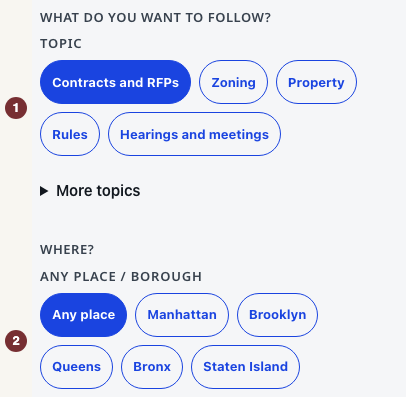
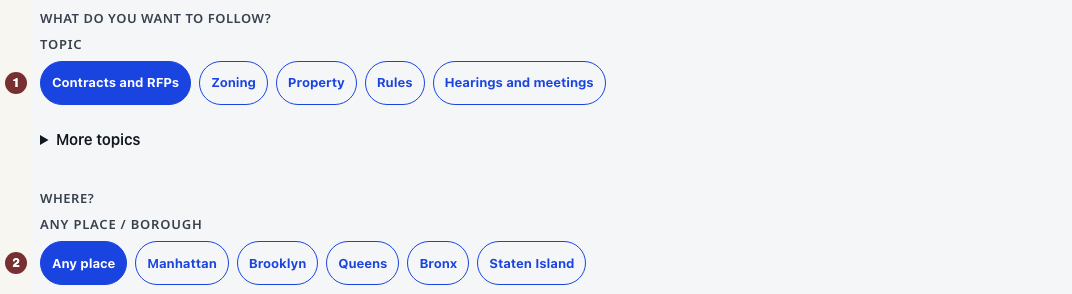
ইংরেজি মূল: Open সতর্কতা with JavaScript switched on. Under আপনি কী অনুসরণ করতে চান?, choose a topic such as Contracts and RFPs. Under Where?, choose a borough or Any place. Open ফলাফল সীমিত করুন to add a keyword or agency. For contracts, open আরও নির্ভুলভাবে মিলান to include any or all of a few words, treat an entry as an exact phrase, or exclude words. Example: include software, exclude maintenance, preview the awards, then tighten the exclusion if a useful record such as a Greenway project was removed because its body mentioned maintenance vehicles. Frozen award examples are published awards, not currently open bids. The selected choices describe an unsaved watch. No account or password is needed. This is separate from the city's own account system.
ইংরেজি মূল: Public meetings use the same আরও নির্ভুলভাবে মিলান control. The board, place, and upcoming-event window you already chose stay the boundary. Extra wording only narrows it. Exact Council-matter watches and other topics do not offer these controls.
ইংরেজি মূল: Step 2 — Check the preview
ইংরেজি মূল: Press মিল পাওয়া ফলাফলের পূর্বরূপ below the choices. Read the rule sentence in অনুসরণের সারাংশ, then check অনুসরণের শর্ত and the records under প্রিভিউ. A preview is not a subscription: nothing is saved and no email is sent. Change a choice and press মিল পাওয়া ফলাফল হালনাগাদ করুন to revise it.
ইংরেজি মূল: The message No matches now — still watch for new means the loaded preview is empty. You can save a watch for future records, or widen a criterion and preview again. If the preview is not ready, use its retry control. The current matches are unknown.
ইংরেজি মূল: Step 3 — Create the watch
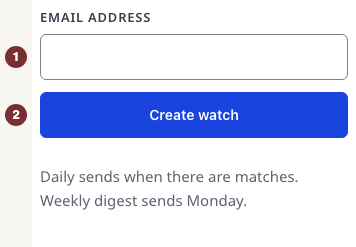
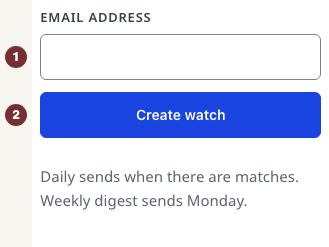
ইংরেজি মূল: Under ইমেইলের ব্যবধান, choose প্রতিদিন (on days with matches) or সাপ্তাহিক (Monday digest). Under এই অনুসরণ তৈরি করুন, enter ইমেইল ঠিকানা and press অনুসরণ তৈরি করুন. The watch exists as soon as the request succeeds. There is no confirmation email to click.
ইংরেজি মূল: Check for আপনার সাবস্ক্রিপশন হয়েছে — আমরা ইমেইল পাঠাব। যেকোনো সময় পরিচালনা করুন বা বাতিল করুন। Keep the welcome email's manage link. If the page reports an error, use its retry instruction. An error does not confirm enrollment.
ইংরেজি মূল: Step 4 — Change or stop updates
ইংরেজি মূল: Open the manage link in a CityScroll email. On the watch's row, change the frequency and press Save, or choose Pause, Unpause, or Delete watch. Check the row's resulting state. Edits apply to the next digest, around 9am Eastern. Unsubscribe all watches stops all updates immediately, so use it only when that is what you want.
ইংরেজি মূল: When saved watches are unavailable
ইংরেজি মূল: Under আপনার অনুসরণগুলো, an unrecognized browser asks you to open a CityScroll email. Use that email's manage link. A link reported as invalid or expired needs replacing with the link in a recent email. If saved watches cannot load, use the offered retry. That failure does not mean they were deleted. A watch link reported as unrecognized has saved nothing: choose a topic on Following and start again.