이 번역은 기계로 초벌 번역되었으며 아직 원어민의 검토를 거치지 않았습니다.
영어 원문: How to… · 영어 원문: How-to guide
영어 원문: Follow a search and manage your updates
영어 원문: Preview a watch, create it with your email address, and manage or stop its updates.
영어 원문: Step 1 — Set the topic and place
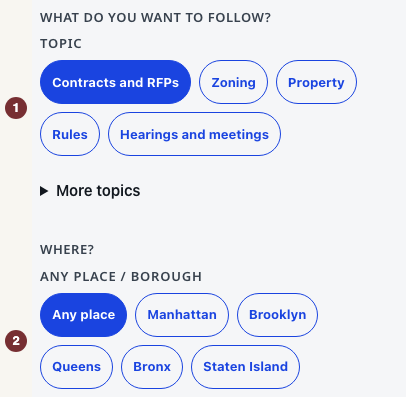
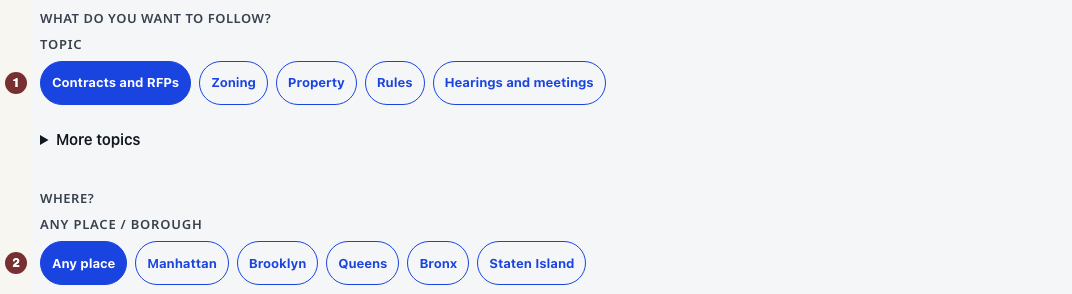
영어 원문: Open 알림 with JavaScript switched on. Under 무엇을 팔로우하시겠어요?, choose a topic such as Contracts and RFPs. Under Where?, choose a borough or Any place. Open 범위 좁히기 to add a keyword or agency. For contracts, open 더 정확히 맞추기 to include any or all of a few words, treat an entry as an exact phrase, or exclude words. Example: include software, exclude maintenance, preview the awards, then tighten the exclusion if a useful record such as a Greenway project was removed because its body mentioned maintenance vehicles. Frozen award examples are published awards, not currently open bids. The selected choices describe an unsaved watch. No account or password is needed. This is separate from the city's own account system.
영어 원문: Public meetings use the same 더 정확히 맞추기 control. The board, place, and upcoming-event window you already chose stay the boundary. Extra wording only narrows it. Exact Council-matter watches and other topics do not offer these controls.
영어 원문: Step 2 — Check the preview
영어 원문: Press 일치 결과 미리 보기 below the choices. Read the rule sentence in 팔로우 요약, then check 팔로우 조건 and the records under 미리보기. A preview is not a subscription: nothing is saved and no email is sent. Change a choice and press 일치 결과 업데이트 to revise it.
영어 원문: The message No matches now — still watch for new means the loaded preview is empty. You can save a watch for future records, or widen a criterion and preview again. If the preview is not ready, use its retry control. The current matches are unknown.
영어 원문: Step 3 — Create the watch
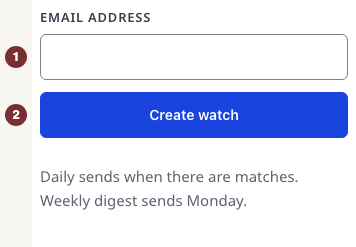
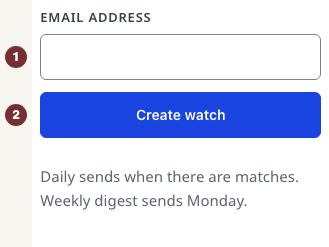
영어 원문: Under 이메일 빈도, choose 매일 (on days with matches) or 매주 (Monday digest). Under 이 팔로우 만들기, enter 이메일 주소 and press 팔로우 만들기. The watch exists as soon as the request succeeds. There is no confirmation email to click.
영어 원문: Check for 구독되었습니다. 이메일을 보내드리겠습니다. 언제든지 구독을 관리하거나 취소할 수 있습니다. Keep the welcome email's manage link. If the page reports an error, use its retry instruction. An error does not confirm enrollment.
영어 원문: Step 4 — Change or stop updates
영어 원문: Open the manage link in a CityScroll email. On the watch's row, change the frequency and press Save, or choose Pause, Unpause, or Delete watch. Check the row's resulting state. Edits apply to the next digest, around 9am Eastern. Unsubscribe all watches stops all updates immediately, so use it only when that is what you want.
영어 원문: When saved watches are unavailable
영어 원문: Under 내 팔로우, an unrecognized browser asks you to open a CityScroll email. Use that email's manage link. A link reported as invalid or expired needs replacing with the link in a recent email. If saved watches cannot load, use the offered retry. That failure does not mean they were deleted. A watch link reported as unrecognized has saved nothing: choose a topic on Following and start again.