此翻译由机器初步生成,尚未经过母语人士审核。
英文原文:Start here · 教程
英文原文:Trace an award and keep the trail
英文原文:Follow an agency to a vendor and an award, then check whether the copied link keeps both steps.
英文原文:Step 1 — Open the agency's connections
英文原文:Open Homeless Services with JavaScript switched on. No account is needed. Under 关联记录, find a vendor entry, identified by its organization name and connection label. For this example, use Lantern Community Services if present.
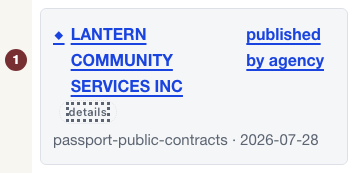

英文原文:Step 2 — Follow the vendor connection
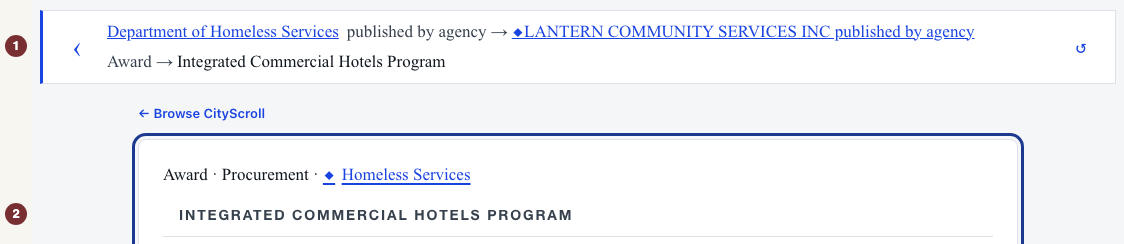
英文原文:Select the organization's title in 关联记录. Its Vendor profile opens. Check that the trail at the top names Homeless Services and the vendor, with a connection such as published by agency between them. Use Back one step beside the trail to return if you selected a different record, or Restart at origin to start again.
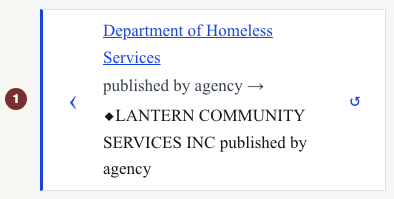

英文原文:Step 3 — Follow an award connection
英文原文:On the vendor page, find 记录中的供应商——提及该供应商的公告 and open 显示全部日期(按时间顺序). Select the notice title for the Integrated Commercial Hotels Program, request number 20260729015, in that list. If the dates are already listed without a disclosure, select the title there. Check that the notice opens and the trail contains both the agency-to-vendor and vendor-to-award steps. Use that notice title to continue from the vendor.
英文原文:If the trail disappears, use your browser's Back button to return to the vendor. That navigation has not preserved the path. Do not treat opening the notice alone as success. The finished example linked below is a reference for the expected two-step display, not proof that your clicks created it.
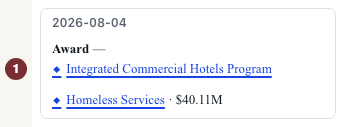

英文原文:Step 4 — Reopen your own trail
英文原文:When both steps are visible, copy the full browser address and paste it into a new tab. Check that both steps and the final award return. The address carries the trail. Simply bookmarking the notice without it will not preserve the path.
英文原文:Read each connection label separately. In the finished reference, published by agency connects Homeless Services to the vendor, and 授标 connects the vendor to the notice. The labels describe published links, not performance or wrongdoing. An award is historical: it is not an announcement that subcontracts are available or an invitation to bid.
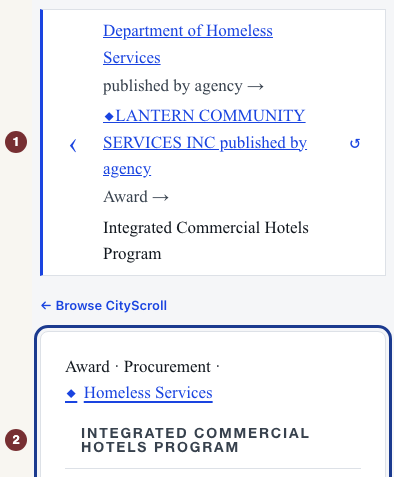
英文原文:Step 5 — Repeat with another agency
英文原文:Open an agency from People + organizations, select a vendor under 关联记录, and open 显示全部日期(按时间顺序) under 记录中的供应商——提及该供应商的公告 to select an award. Copy and reopen the address only after checking both steps. If a connection is absent, choose another published connection. Absence here does not prove no award exists.
英文原文:For evidence behind a connection, choose 详情 beside its title (announced as 详情). The panel names the basis and source for that particular link.