此翻译由机器初步生成,尚未经过母语人士审核。
英文原文:How to… · 英文原文:How-to guide
英文原文:Collect records, add notes, and export them
英文原文:Pin records, save notes, and choose between a local export and a shared copy.
英文原文:Step 1 — Pin two records
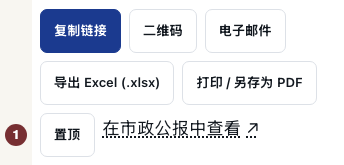
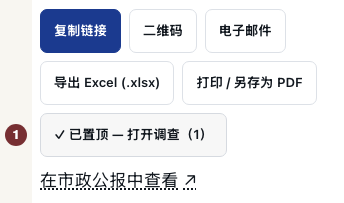
英文原文:Open the West 50th Street award notice with JavaScript switched on. Among the record's actions, choose 置顶. The confirmation links to the workspace and shows the item count. Open the named organization and choose 置顶 there too. Pin appears on individual records, not search results.


英文原文:Step 2 — Add and check a note
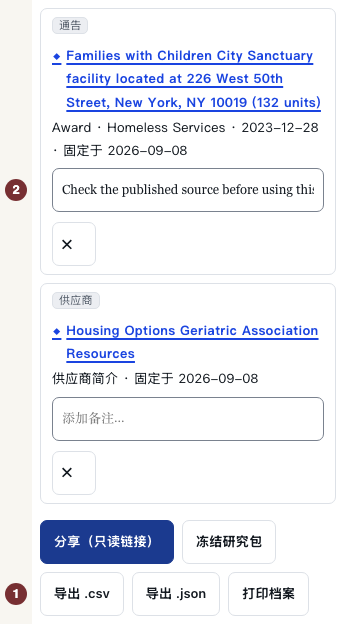
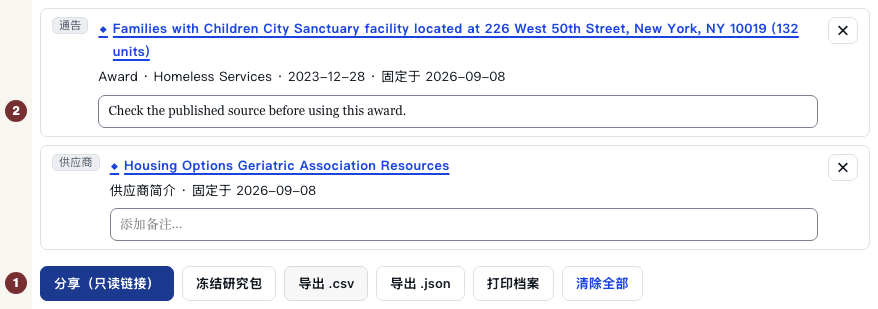
英文原文:Open 我的调查 in the page footer, or your investigation. Check that both records appear under 调查工作区 · 仅保存在此浏览器中. No account is needed. Under a record, type in 添加备注…, then click outside the field to save. Reload and check that the note remains.
英文原文:In an ordinary signed-out visit, the collection stays in this browser. Clearing its site data removes it. A session recognized through a CityScroll email can keep pins across devices.
英文原文:Step 3 — Export a copy
英文原文:Below the items, choose 导出 .csv for a spreadsheet or 导出 .json for structured data. Open the downloaded file and check the records, notes and links. Both files are fixed copies. They do not update. 打印档案 opens the browser's print window to print or save a PDF.
英文原文:Step 4 — Share only after checking the notes
英文原文:Read your notes before choosing 分享(只读链接) below the items. This uploads a snapshot, including notes, to CityScroll. Anyone with the link can read it without a password for 90 days. It is separate from your local list and does not follow later edits.
英文原文:Open the returned link in a new tab. Shared investigation should show the records and notes without editing controls. A recipient can import a copy into their own investigation.
英文原文:When an action is unavailable
英文原文:If sharing reports a server failure, keep the local list and use 导出 .csv or 导出 .json. 冻结研究包 requires a supported comparison. For ordinary pinned records use those exports.
英文原文:Choosing 清除全部 empties the local investigation immediately without confirmation. Use it only when ready to remove that list. Existing exported files and shared snapshots remain. An empty workspace explains how to start again: open an individual record and choose 置顶.