How to… · How-to guide
Look at records as of a day
Use the as-of control on an agency page to keep only the records dated on or before a day you choose, and understand exactly what that filter can and cannot tell you.
What did an agency's record set look like on a given day?
What this is for
An agency page shows what is linked to that agency now. Sometimes the question is narrower: what was on the record by a particular day — before a policy changed, before a contract was signed, before something you are writing about happened.
The As of day control answers that, within limits this page is careful about.
Before you start
- No account is needed.
- The filtering happens in your browser, so this needs JavaScript switched on. Without it the control is still on the page and can still be submitted, but the page comes back unfiltered.
Filter an agency to a day
- Open the Parks and Recreation page.
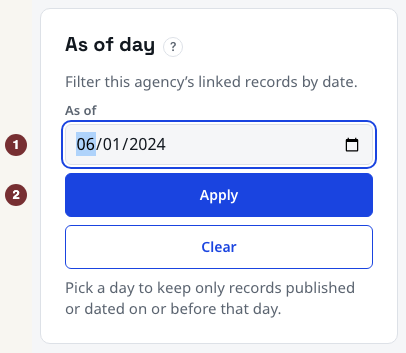
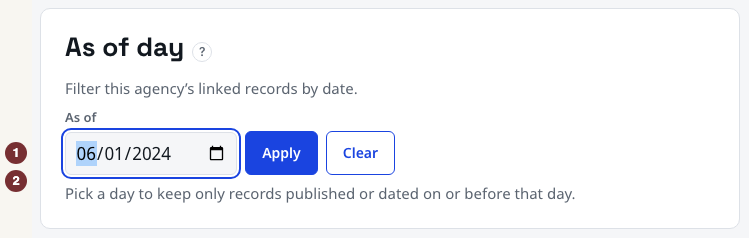
- Find the panel headed As of day. Before you pick anything it says: pick a day to keep only records published or dated on or before that day.
- Put a date in the As of field and press Apply.
Or open the day directly, which is the same thing with the date already in the address: the Parks page as of 1 June 2024.
Checkpoint: the date field holds your day, and the line under it has changed from an invitation into a count.
Read the comparison line
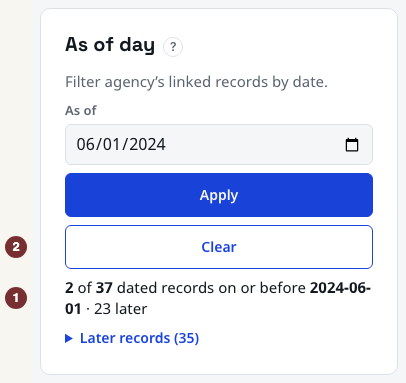
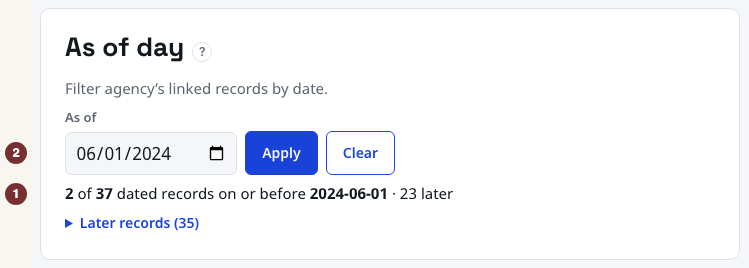
With 1 June 2024 chosen, the line reads in this shape: so many of so many dated records on or before that day, and a number of later ones. Underneath, Later records opens a list of what the filter set aside.
The two counts are the point. The first is what survives your day. The second is how many dated records the page links at all. The gap between them, and the later list, is the change you are asking about.
The numbers themselves move as the city publishes, so yours will not match the ones anyone else saw. Read the shape rather than the totals.
Checkpoint: you can say how many dated records survived your day and roughly how many did not.
Reset it
The Clear link sits next to Apply and appears only once a day is set. It returns the page to everything linked now. Your browser's Back button does the same thing.
Checkpoint: after Clear, the line is an invitation again and the full set is back.
Share it
The day travels in the address itself: press Apply and you can see it appear there. Copy the address, and the person you send it to opens the same agency filtered to the same day.
That is the whole sharing mechanism: no export, no account, nothing stored. It also means the link keeps working later, and will reflect whatever has been published in the meantime.
Checkpoint: pasting the address into a new tab reopens the same agency on the same day.
What this filter actually does
It compares each linked record against your day using the record's own date: the date of the thing that happened, or the date the city published it when there is no event date. Records on or before your day are kept.
Three consequences follow, and they matter more than the feature does.
- A record with no date at all cannot be placed on a timeline, so it is not kept. It has not been judged late or early. It simply has no date to compare, which is why the counts do not add up to the whole page.
- This is not a reconstruction of what CityScroll knew on that day. It filters by when things happened or were published, not by when this site learned about them. A record published in 2026 about an event in 2023 is kept by a 2023 day, even though nothing here knew about it then. A web archive is the tool for what a page looked like on a past date; this control answers the different question of which records carry a date on or before the day you picked.
- The counts describe what is linked now. Connections are added and corrected over time, so the same day asked twice, months apart, can honestly give different answers.
When a day comes back empty
Pick a day early enough and the count reads zero, the later list holds everything, and the connected sections come back with nothing in them.
That is a true answer, not a failure. It means nothing dated on or before that day is currently linked to this agency. It does not mean the agency did nothing then; the city's own archives go back further than the records collected here.
Checkpoint: an empty result reads as an empty result, and you can say what it does and does not mean.
Do this on another record
The control sits on every agency page. Open the agency you are working on, pick the day your question turns on, and send yourself the address before you move on.