How to… · How-to guide
Read a land-use project's next step and documents
Find where a land-use project stands, which body acts next, when that is known, and which documents you can actually open.
What happens next on this project, and where are its documents?
Your task
Take a land-use project you have heard about and find out three things — where it stands now, what is expected to happen next, and which of its documents you can read for yourself.
Before you start
- Open land-use projects and find the project by keyword, action type, review procedure or stage. This page uses Timbale Terrace, project 2022M0258, as its example.
- These pages assemble their lists in your browser, so they need JavaScript switched on. The city's own portal, which this page sends you to at the end, does not depend on CityScroll at all.
- Nothing here submits anything. Reading a project does not file a comment or sign you up.
Step 1 — Open the project
Select the project from the list. The address gains the project on the end, so the project you are reading has its own link you can keep or send to someone.
The page names the project and gathers what has been published about it — its stage, the bodies involved, its dates, and its documents.
Checkpoint: the page is headed with the project's name and carries its city project number.
Step 2 — Read Where this stands
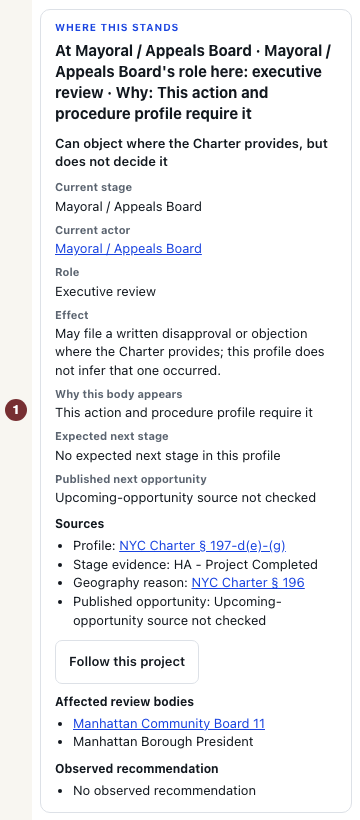
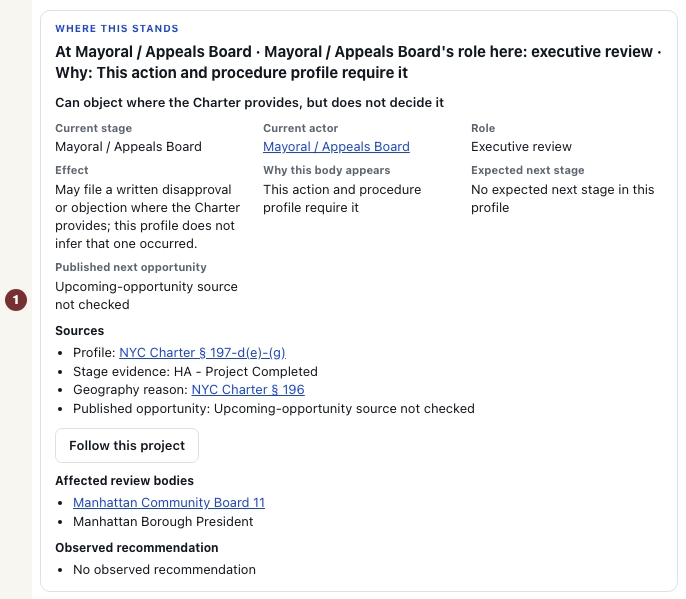
The Where this stands panel is the answer to "who is dealing with this now". It gives, as separate labelled facts:
- Current stage — where the application has reached in the city's review.
- Current actor — the body handling it at that stage.
- Role — what that body can actually do here, written in plain words. An advisory reviewer can recommend but cannot decide. A decision maker can decide. The distinction is the whole point of the panel, and a recommendation is not an approval.
- Why this body appears — the reason this body is in the picture at all, such as the project's published community districts being covered by that board.
- Expected next stage — what normally follows in this kind of review.
- Published next opportunity — a dated, published chance to take part, when one exists.
Public review of a rezoning follows a set order — filing, environmental review, certification, Community Board, Borough President, City Planning Commission, City Council, then mayoral or appeals review. Knowing the order is what makes "current stage" mean something.
Checkpoint: you can say which body is acting now and whether it can decide or only recommend.
Step 3 — Separate a calculated window from a published date
Some dates on the page are observed — the city published them. Others are calculated from the statutory review windows in the City Charter, which set how long each body has once an application is certified. The page labels a calculated window as calculated, and says it is not an observed date.
Treat them differently. A calculated window tells you roughly when a stage must end. It is not an appointment. Review clocks can pause, and applications can be withdrawn.
Checkpoint: for each date you plan to rely on, you can say whether the city published it or CityScroll worked it out.
Step 4 — Open the documents
Two kinds of document are worth looking for, and the page keeps them apart.
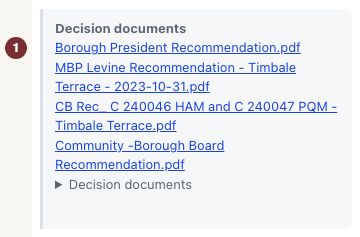
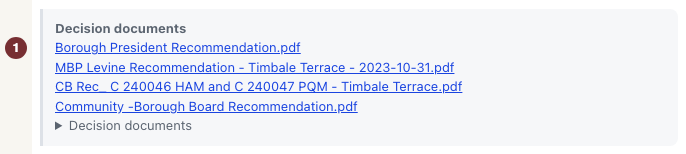
- Decision documents — what a body actually produced. Where these are shown, they are links to the published item rather than a summary of it.
- Application filings — what the applicant filed. This includes the environmental review record and, where it applies, the Racial Equity Report on housing and opportunity, with whether it was required, whether a document has actually been observed, when it was prepared, and a link to the original document.
Whatever you find here, finish at the city's own copy. Every project carries a link to its full record in the Department of City Planning's Zoning Application Portal, and the complete filed package lives there. CityScroll is a reading aid; the portal is the record.
Checkpoint: you have opened at least one document at its official source rather than only reading about it.
When the page does not know
A land-use page is only as complete as what the city has published, and this one says which kind of gap you are looking at rather than showing a blank.
- Where this stands is unknown. The page gives its reason — more than one review track applies, the procedure does not resolve from what was filed, no current stage was found, or the records it reads are out of date. An unknown stage is a statement about the evidence, not a claim that nothing is happening.
- No published next opportunity found. Said with the date it was checked. It means no dated chance to take part has been published yet, not that there will not be one.
- The upcoming-opportunity source was not checked, or the information is stale as of a date. This is different again — the answer is unknown right now. Check the portal.
- A document is not here yet. Package and disposition files appear in the Zoning Application Portal when they are released, and the page says so rather than implying none exist.
- A required report has not been observed. For applicant filings the page distinguishes "no report has been observed yet" from "the publisher states it was not filed on time" and from "this has not been checked". Those are three different facts and only one of them is a finding about the applicant.
None of these states is a reason to guess. If a decision matters to you, the portal record and the body's own published calendar are the places to confirm it.
You are done when
You can name the stage the project is at, the body acting next and whether it decides or advises, say for each date whether it was published or calculated, and you have the project open at the Zoning Application Portal alongside CityScroll.